Get Paid Early: Cash Advance
- 4.2
- Rating
- 50.00K
- Installs
- Free
- Price

 Analysis by App-foxy
Getting access to earned pay before the usual payday sounds simple, but the first real test is often the setup. I spent time looking at Get Paid Early: Cash Advance as a finance app from StreamFunds, Inc., focusing less on the short store promise and more on the moments when a person may wonder why the process is not moving forward. My overall impression is that it can be useful for smoothing out a short timing gap, provided you treat it as an access tool for money you have already earned rather than as a replacement for regular budgeting.
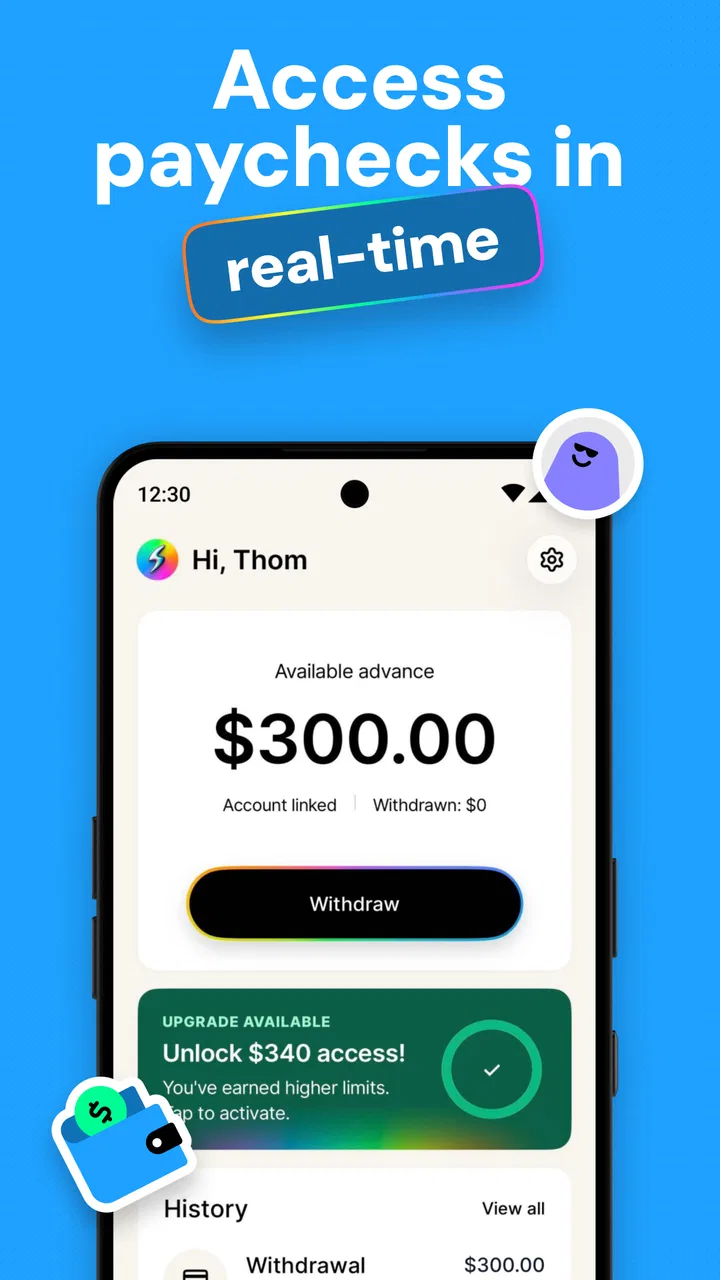
The app is free, carries an Everyone age rating, and its central appeal is straightforward: it is designed to help eligible users access earned pay early without presenting the service as a conventional loan. That distinction matters. Someone facing a temporary mismatch between an incoming paycheck and an urgent household expense may find the idea practical. Someone who needs repeated advances to cover ordinary living costs may need a broader financial solution instead.
Where users are most likely to get stuck
The most difficult part of an earned-pay app is rarely pressing the button to request money. The friction usually appears earlier, when the app has to understand your employment and pay situation well enough to determine whether the request can proceed. If your work details, pay timing, or connected account information do not line up, the experience can feel stalled even when the app itself is working normally.
You May Also Like

 Blood Strike: 2.5 Anniversary
Blood Strike’s Loadouts Turn Every Drop Into a Tactical Gamble
A close look at Blood Strike’s custom loadouts: how fast access to signature weapons reshapes its battle royale rhythm, rewards preparation, and narrows the gap between fights.

 Pandora - Music & Podcasts
Pandora’s Music Is Easy to Start, but Harder to Recover
Pandora’s strength is its low-effort path from a seed to a station. Its weak spot is how much confidence it asks you to place in connection, setup, and quiet recovery.

 8 Ball Pool
 Is Built on Rivalries, Rematches, and Routine
A close look at the rivalries, rematches, shared routines, and unanswered safety questions that turn a quick pool match into a persistent mobile community.

 Samsung Music
’s Quiet Strength Is Playing What You Already Own
Its reach comes less from spectacle than from dependable access to a personal library. That simplicity is both the app’s strongest retention engine and its ceiling.

 AccuWeather: Weather Radar
AccuWeather Review: A Quick, Clear Forecast for Everyday Decisions
For everyday plans, the best forecast is the one you can understand quickly. AccuWeather makes rain timing, radar, and local conditions easy to act on, with a few trade-offs.

 Hill Climb Racing
Why Hill Climb Racing Still Turns Crashes Into One More Run
A tiny car, a bumpy hill and one more upgrade: Hill Climb Racing keeps resurfacing because its simple chaos makes every near-miss feel personal.
More From Our News Desk
View All News


I would begin with realistic expectations. “Get paid early” does not mean every user can request any amount at any moment. Access depends on whether the app can recognize the earnings and circumstances needed for an advance. That is an important difference from a standard banking app, where you can generally view an existing balance and transfer money you already possess.
A common source of confusion is assuming that a failed or delayed request automatically means the service is broken. It may instead point to information that needs attention, an earnings record that has not caught up yet, or a mismatch between the details entered during setup and the information associated with your employment. The best response is to slow down and check the basics rather than repeatedly submitting the same request.
Another point worth understanding is the difference between an app account and available earned pay. Creating an account does not, by itself, create a balance that can be withdrawn. The useful balance is tied to recognized earnings, so a new user may need to wait for the relevant information to become visible inside the service. That can be disappointing if you install the app during an emergency, but it is a normal limitation of this type of product.
The current release is version 3.0.39, and the app supports Android 7.0 or later. Those details make compatibility worth checking before troubleshooting anything else. If your phone runs an older Android version, changing account details or reinstalling the app will not solve the underlying issue. On a supported device, however, keeping the app updated is still a sensible first step because financial apps need their current release to behave reliably.
Read the request screen as a checklist
When a request does not go through, I recommend treating every field and message as a clue. Check whether your name and employment information are consistent, whether the pay information is current, and whether the destination details are still correct. Small differences can matter more in a finance app than they do in a casual shopping or social application.
I also would not rush through the confirmation screen. Look carefully at what you are requesting, where the money is meant to go, and what timing the app presents. The phrase “early pay” can create an expectation of instant delivery, but the actual movement of funds may still depend on processing and the receiving institution. Reading that screen carefully helps prevent an avoidable surprise.
Setup checks that save time later
The strongest setup habit is to use information that matches your real payroll and banking records. Avoid experimenting with abbreviations, nicknames, or an old account simply because they are convenient to type. If the service needs to connect your earned-pay information to you, consistency is more useful than speed.
Before making a request, I would also confirm that your employment situation is current. A recent job change, altered pay schedule, change from one employer to another, or interruption in work can make the amount shown in the app look different from what you expect. That does not necessarily mean your paycheck is missing; it may mean the app is working from information that has not yet caught up with your circumstances.
There is a practical reason to set up the app before you urgently need it. An emergency is the worst time to discover that your details require review or that you need to clarify how your pay is represented. Installing it during a calm week lets you understand the screens, confirm your account information, and decide whether the service fits your routine without the pressure of a bill due that afternoon.
I would keep the app on a personal, secure device and avoid completing financial setup on a public network or a borrowed phone. That is not a special feature of this product; it is simply sensible handling for any service connected with income and account details. Locking your phone and reviewing where notifications appear are small steps that reduce unnecessary exposure.
It is also worth deciding in advance what the advance is for. A useful rule is to connect it to a specific short-term need, such as preventing a late utility payment or covering a necessary purchase until payday. If you cannot name the expense, the request may be driven by impulse rather than timing. That distinction helps keep a convenient tool from becoming a habit that makes the next pay cycle tighter.
Why the “no loan” wording still deserves careful thought
The service is presented around access to earned pay rather than borrowing with interest, which is a meaningful difference from a traditional cash advance lender. Even so, early access can affect how much money remains available later in the pay cycle. I would judge the app by the complete cash-flow picture, not just by whether the immediate transaction feels inexpensive.
For example, imagine that a household has enough income for the month but a rent-related bill arrives several days before payday. Using a limited early-pay amount to bridge that timing problem may be reasonable. The same household could run into trouble if it uses the app every week for groceries and transport, because the next payday would repeatedly arrive with less flexibility. The app can address timing; it cannot increase total income.
This is where it differs from the usual alternatives. A bank transfer moves money you already have. A credit card delays payment but can introduce interest or other costs if the balance is carried. A conventional loan is designed around borrowed money and repayment terms. Get Paid Early: Cash Advance sits in a different space by focusing on earned wages, so it may be more appropriate for a short timing mismatch than for a large or recurring financial shortfall.
Recovering when the normal workflow breaks
If the app appears stuck, I would use a simple recovery sequence instead of changing several things at once. First, close and reopen it, then check whether the phone has a stable connection. Next, confirm that the app is current and that the device meets the Android requirement. After that, review the account and employment details carefully before attempting the workflow again.
Changing one variable at a time is more useful than immediately uninstalling the app. If you reinstall before understanding the problem, you may lose the context of the message that explained what needed attention. A screenshot or written note of the wording can also help you describe the issue accurately if you need assistance later.
When a request is delayed, avoid repeatedly tapping the submission control. Repeated attempts can make it harder to tell which request is active and whether the issue is a processing delay or a failed submission. I prefer to wait long enough to see whether the status changes, then check the account activity or confirmation information shown by the app before trying again.
Another useful recovery habit is to separate app problems from money-delivery problems. The app may show that a request has been accepted while the receiving bank or account takes additional time to display the funds. If the app opens normally and the request status is clear, reinstalling it is unlikely to speed up the receiving side. In that situation, check the destination details and the status first.
Users should also remember that an amount visible in a pay-related screen is not necessarily the same as the amount they should request. I would leave room for ordinary deductions and upcoming expenses rather than treating every available figure as spendable. The safest workflow is to request only what solves the immediate problem and then verify that the remaining payday budget still covers essentials.
When support or a second look is the sensible next step
If the same setup message keeps returning after the information has been checked, that is the point to stop guessing. Record the exact wording, the stage where it appears, and whether the issue happens on more than one attempt. Clear details are more useful than saying only that the app “does not work.”
I would not try to bypass an identity or employment check by entering different information. That can create a bigger mismatch and may delay access further. In a finance app, accuracy is more important than finding a shortcut. If the information is genuinely correct but the result still looks wrong, a support review is safer than repeated edits.
The same applies when a request is declined or an expected amount changes. A user may feel tempted to submit several smaller requests, but that does not address the reason the original result occurred. Review the status, confirm the underlying details, and make a decision based on the explanation available in the app rather than trying to force a particular outcome.
When the app is not the cause
Not every delay belongs to StreamFunds, Inc. A payroll system may not have updated yet, an employer’s reporting cycle may differ from your expectation, or a receiving bank may take time to post an incoming transaction. These situations can look identical to an app failure if you focus only on the final balance.
A good diagnostic question is: what exactly is missing? If the app cannot display current earnings, the issue may be related to employment or payroll information. If the request is visible but the money has not appeared in the destination account, the next place to examine is the transfer status and receiving institution. If the app will not open or keeps closing, device compatibility and the app version become more relevant.
Network conditions can also create misleading behavior. A weak connection may leave a screen loading without telling you whether the action was completed. I would avoid submitting again until the connection is stable and the account reflects the latest status. This is especially important for financial actions, where uncertainty can lead to duplicate attempts or unnecessary worry.
There is also a personal-finance cause that no troubleshooting can fix: the request may simply be larger than the amount of earned pay currently recognized. In that case, the right answer is not to keep refreshing. Rework the budget, reduce the request to the actual gap, or use a different source of funds if the expense cannot wait. The app is useful only within the boundaries of the earnings it can legitimately make available.
Who will benefit most from this particular approach
I see the clearest fit for workers with predictable pay who occasionally face bills a few days before their normal payday. The app’s value is greatest when the problem is timing and the user already knows exactly how the early money will be used. It can also be helpful for someone who wants an alternative to interest-bearing borrowing for a small, temporary gap.
It is less suitable for someone with highly irregular earnings, frequent payroll changes, or a need for a large sum that goes beyond recently earned pay. It is also not the right answer for long-term debt, an income shortfall, or expenses that recur every pay cycle. In those situations, a detailed budget review, employer pay discussion, bank product, or qualified financial counselor may be more appropriate than another early withdrawal.
The free price makes trying the app less demanding than committing to a paid budgeting service, but “free” should not be confused with “without consequences.” The main trade-off is cash-flow timing. Before using it, I would write down the next payday income, fixed bills, and the amount that would remain after the early access. That small calculation tells you more than the convenience of the request screen.
The service has reached over fifty thousand installs and holds a 4.2 average from around seven hundred ratings, with over one hundred reviews. Those figures suggest that it is not an obscure experiment, but they should not replace your own assessment. A finance app can work well for many users and still be a poor match for your employer, pay pattern, or financial habits.
My practical verdict after looking at the full workflow
Get Paid Early: Cash Advance makes the most sense as a controlled bridge between work already completed and the date a paycheck normally arrives. I like the focus on earned pay instead of presenting the experience as ordinary loan shopping, and I think the app can be genuinely useful when one unavoidable bill lands at the wrong time.
My reservation is not about the basic idea; it is about how easily early access can become part of a repeating cycle. The app should be used with a written plan for the next payday, not as an automatic response whenever the balance feels low. The most important practical feature is therefore the user’s discipline: request only the amount needed, check the remaining budget, and avoid treating accessible earnings as extra income.
For a new user, I would install it before an urgent situation, complete the setup carefully, verify that the Android device is supported, and learn how the request status is presented. If something goes wrong, check compatibility, connection, account details, employment information, and destination status in that order. That workflow prevents many false alarms and makes genuine support issues easier to explain.
For someone comparing it with a credit card, bank transfer, or traditional loan, the choice depends on the problem. Use a bank transfer when the money is already in your account. Consider a credit card only if you understand its repayment cost. Look at a conventional loan for a larger planned need, not a quick payday gap. Choose this app when the need is temporary, the earnings are already recognized, and receiving part of them earlier will not leave the next pay cycle unmanageable.
Its Everyone rating makes it broadly approachable, and its current version shows that the product is actively maintained as a modern finance app. Still, no rating can tell you whether your own payroll information will line up smoothly or whether early access fits your budget. My recommendation is positive but measured: it is worth considering for occasional cash-flow timing problems, while anyone facing persistent financial pressure should look beyond early-pay access and address the underlying gap.
In short, I would recommend trying it deliberately rather than casually. Set it up when you have time, understand what the request represents, and keep a clear record of what the next payday must cover. Used that way, Get Paid Early: Cash Advance can be a practical tool for a narrow problem. Used without that check, even a convenient advance may simply move the same pressure a few days forward.
FAQs for Get Paid Early: Cash Advance
01What is Get Paid Early: Cash Advance, and how does it work?
Get Paid Early: Cash Advance is a financial app designed to help eligible users access part of their expected paycheck before their regular payday. After creating an account and completing the required verification, the app may analyze information such as income and employment details to determine eligibility. Approved users can request an advance, review the applicable terms, and receive funds through an available delivery method.
02Who can use Get Paid Early: Cash Advance?
Eligibility depends on several factors, including your age, location, employment situation, income, and ability to verify a recurring paycheck or bank activity. Not every applicant will qualify, and approval is not guaranteed simply because the app has been installed. Before applying, users should carefully check the current requirements, provide accurate information, and confirm that the service is available in their state or country.
03How much money can I borrow, and how quickly will I receive it?
The available advance amount can vary according to your verified income, account history, repayment record, and other eligibility criteria. Standard transfers may take longer, while an optional expedited delivery method could make funds available sooner, depending on the supported bank or payment network. The app should display the amount, timing, and any applicable charges before you confirm a request.
04Does Get Paid Early: Cash Advance charge fees or interest?
Costs can depend on the type of advance and the delivery option selected. Some services may offer a no-interest advance but charge an optional express-transfer fee, subscription fee, or other service-related cost. Users should not assume that every transaction is free. Always review the in-app disclosure, repayment date, recurring membership terms, and total amount to be withdrawn before accepting an advance.
05When do I repay the cash advance, and what happens if I cannot pay?
Repayment is generally scheduled for your next verified payday or another date shown in the agreement. The app may automatically debit your linked bank account or require another approved repayment method. If you expect difficulty repaying, contact support as early as possible and review the available options. Missed payments may cause failed-payment fees, account restrictions, or other consequences described in the service terms.
Pros
- Fast access to part of your earned wages before payday.
- Simple application process with minimal paperwork required.
- Repayment is usually automatic
- reducing the risk of missed payments.
- Helpful for covering unexpected bills or short-term cash gaps.
- Clear eligibility checks help users understand their available advance.
Cons
- Advance limits may be too low for larger emergency expenses.
- Fees or optional tips can make borrowing more expensive than expected.
- Requires regular income and employer or payroll verification.
- Frequent advances may encourage dependence on short-term borrowing.
- Bank and payroll connections may raise privacy concerns for some users.

Get Paid Early: Cash Advance
Gallery